.png)
.png)
Uploading a Workflow
In addition to importing public workflows, users can also upload their own workflows to the platform.
The following image shows the form for uploading a workflow. The basic overview is as follows:
- Set the required metadata: tool name, organisation and tool class.
- Write a description of the capabilities of the workflow
- Set the supported languages of the workflow
- Optionally:
- customise the version
- define the authors
- Upload the files individually, as a zip file or even create them manually.
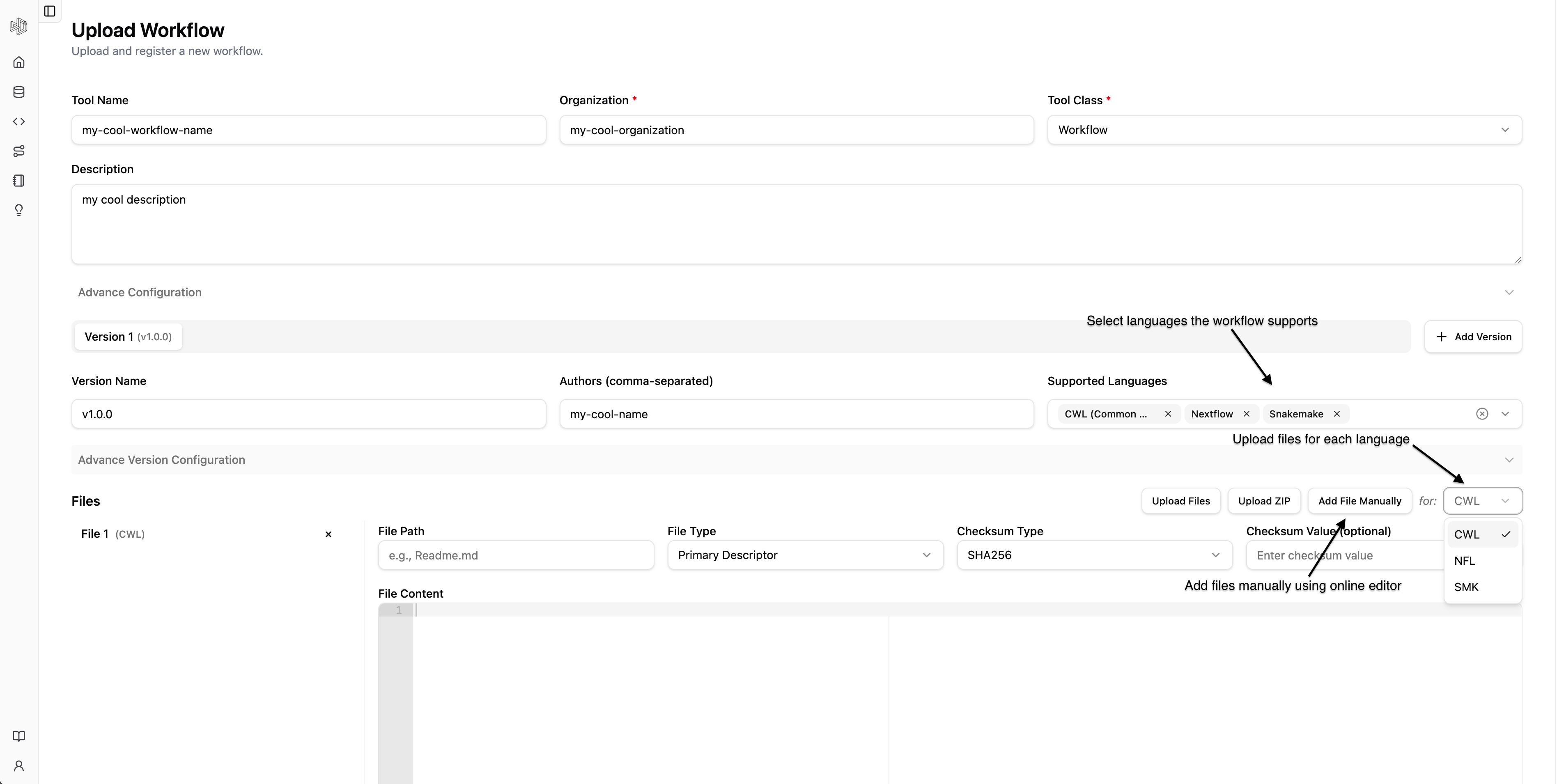
Click the image for a closer look!
Finally click on the "Create" button to create it.