.png)
.png)
Using the Platform
When you sign in to the platform, you will first see the home page.
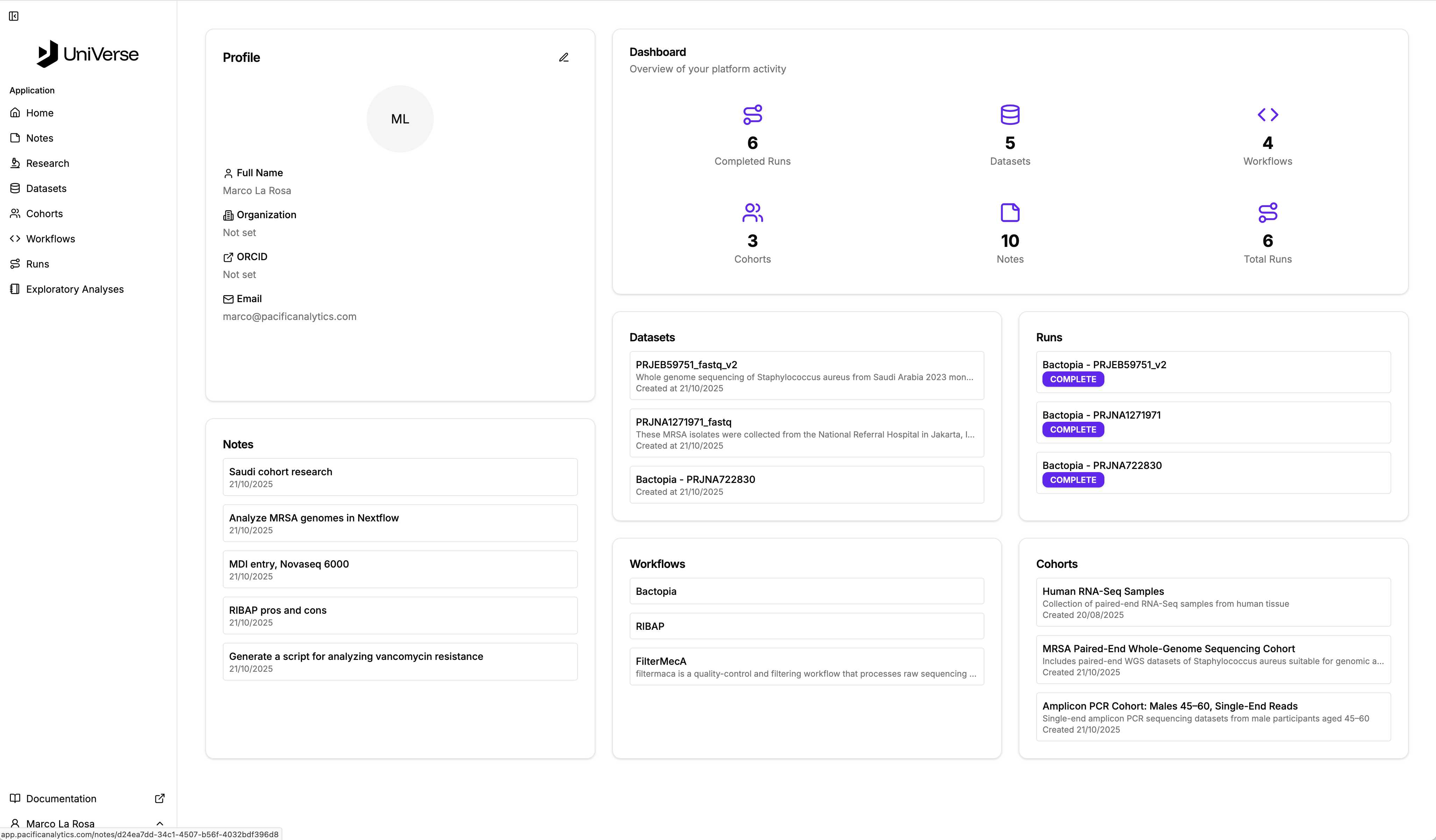
The home page presents an overview of your most recent work and consists of a number of key components.
In the top left is the profile section where you can provide information about yourself. In time, this key information will be used to automatically populate your published artefacts.
Next to it is the main dashboard which provides an overview of your work. Here you can see how many notes you have, number of completed of runs and more.
The remaining components are entrypoints to your recent notes, datasets. cohorts, workflows and runs. You can navigate directly each section by clicking the title or to a specific entry by selecting it.
The Navigation Sidebar
The sidebar is your main tool for navigating the Platform. It's located on the left side of the screen and contains all of the features you need to work with your data.
When required, you can collapse the sidebar so that it is out of the way.
From the sidebar you can:
- access your Notes
- upload and manage your Datasets and Workflows,
- execute Runs,
- perform Exploratory Analyses